

Start here

Practical U.S. household privacy
You do not need to be technical, and you do not need to buy expensive software. Start with free steps that cut the biggest risks from spam calls, telemarketers, scammers, and identity theft. Check each box as you go.
At a glance
Start here
Check off an item as you finish it. Progress stays in this browser only. It is not sent to BlockTheCalls. Where we recommend a third-party tool, open the privacy/data chip for our dated notes, policy links, and a copyable AI review prompt.
0 of 23 completed on this device
See if your email showed up in known stolen-data sets, then turn on free alerts for new matches. A match is a warning sign, not proof someone controls your account today.
Cuts down legal telemarketers and some spam calls. It does not stop scammers. Pair it with call screening.
Makes it harder to open new credit in your name.
A freeze at one bureau does not freeze the other two.
Completes the three nationwide credit-bureau freezes.
Your number can be used to reset email, bank, and social accounts.
Email is the recovery key for much of your digital life.
Helps stop someone filing a federal tax return using your identity.
Warnings help you spot spam calls and telemarketers without hiding every unfamiliar caller.
Reporting helps investigators track scammers. Use ReportFraud.ftc.gov for fraud and the FTC complaint tools for unwanted calls.
Finds some Google results showing your address, phone, email, or government ID numbers (such as a Social Security, passport, or driver’s license number) and lets you request removal. Some features are for adults in certain markets.
Reduces identity-rich mail offers that scammers can steal from your mailbox.
Helps reduce fraudulent checking or savings account applications.
Helps protect telecom and utility consumer-report data.
Adds a freeze at another consumer reporting agency.
Limits access to a separate consumer disclosure file.
Maps likely people-search profiles before you start manual removals.
A freeze prevents many new inquiries; reports show what is already there.
Fast alerts can reduce the time between fraud and your response.
Mail previews can reveal a missing card, IRS letter, or account notice.
Scammers can clone a relative’s voice with AI. The FBI recommends a secret word or phrase your family uses to confirm who is calling. Pick one that has never appeared online and share it in person.
Forwarding to 7726 (SPAM) helps your carrier block similar texts. Then turn on your phone’s unknown-sender or spam filter. Reply STOP only to senders you trust.
On iPhone, check Stolen Device Protection under Settings, then Face ID & Passcode. On Android, look under Settings, then Google, then All services, then Theft protection. Availability varies by device.
Freeze or lock the accounts criminals can monetize before anything happens.
Find breach records, public profiles, reused usernames, and information already visible online.
Ask the original publisher or broker to remove eligible information, then clean up search results.
Use breach, bank, credit, login, and mail alerts to catch changes early.
Move quickly, use contacts you verify yourself, preserve evidence, and report through official channels.

Prevention
Should I freeze my credit? For most U.S. adults, a free security freeze at Equifax, Experian, and TransUnion is one of the strongest ways to reduce new-account credit fraud. You can lift it when you need to apply for credit. If you place or lift a freeze online or by phone, the bureau must place it within one business day and lift it within one hour (FTC). Federal law makes freezes free, and a freeze does not change your credit score. See the CFPB explanation.
| Tool | What it does | What it does not do |
|---|---|---|
| Security freeze | Restricts access to a consumer report for many new applications; free. | Does not stop fraud on an existing account. |
| Credit lock | A bureau product that may offer app-based access controls. | Is not a reason to pay when a free statutory freeze meets the need. |
| Credit monitoring | Helps detect some report changes. | Usually alerts after activity; it is not a substitute for a freeze. |
| Fraud alert | Tells creditors to take extra identity-verification steps. | Does not restrict report access like a freeze. |
Parents and guardians can also request a child credit freeze. The FTC child identity theft guide explains how a protected consumer record can be created and frozen and what documents may be needed.
myE-Verify Self Lock remains available and can lock a Social Security number against new E-Verify and Self Check use. This adds friction: unlock it before a legitimate employer runs E-Verify. It is not a credit freeze.

Scams happening now
Most scam calls and texts now come from someone pretending to be a bank, government agency, well-known company, or relative. They invent a problem or prize, push you to act fast, and ask for payment that is hard to undo, like gift cards, wire transfers, crypto, or a payment app. These are the FTC’s four signs of a scam.
These are only reported losses. The FTC notes that most frauds are never reported, so the real totals are likely higher.
Common scam calls and texts, and what to do (sources checked Oct 2, 2026)

How it starts
A call or text says you owe money, your account was hacked, or your benefits or license will be suspended. Some tell you to move money to keep it safe.
What to do
Hang up or don’t reply. Contact the organization using a number or website you find yourself. Government agencies will never call, email, or text to ask for money or personal information, and a request to move your money to protect it is a scam sign (FTC).

How it starts
A pop-up warning tells you to call a phone number, or someone calls or texts claiming to be a technician from a well-known company.
What to do
Don’t call the number. Legitimate tech companies won’t contact you to say there is a problem, and real security warnings never ask you to call a phone number.

How it starts
A call that sounds like a relative or friend in trouble. It is urgent and may ask you to keep it secret. Scammers can clone a voice from a short audio clip.
How it starts
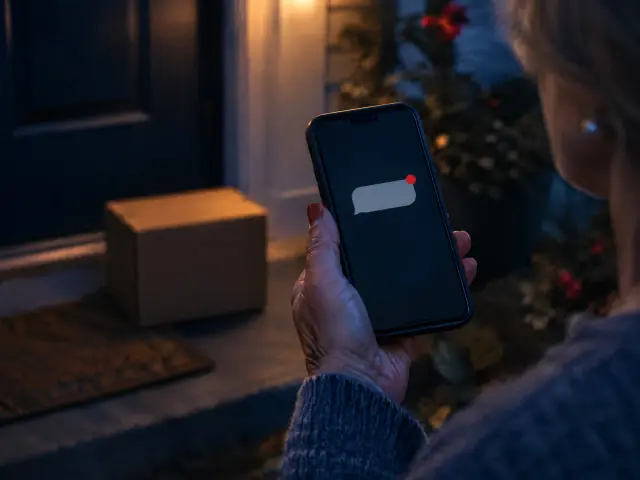
A text about an unpaid toll or a delivery problem, with a link to pay a small fee. The goal is your card number or identity.
What to do
Don’t tap the link. Contact the toll agency or the U.S. Postal Service using a website or number you know is real. Forward the text to 7726, then delete it (FTC).

How it starts
An unexpected text offers easy work, like rating products or apps. Later you are told to send money to finish tasks or withdraw your earnings.
What to do
Stop and don’t pay. Honest employers will never ask you to pay to get a job.

How it starts
A friendly text meant for someone else turns into a friendship, often romantic. The new friend then offers investing tips and a trading platform.
What to do
Don’t reply to strangers, and don’t send money to someone you’ve never met in person. People report losing everything they “invest” on these fake platforms (FTC).

How it starts
A call or text says you won, but you must first pay a fee, taxes, or shipping.
What to do
Don’t pay. If you have to pay to get your prize, it’s a scam. It is also illegal for U.S. citizens to play a foreign lottery.

How it starts
A caller says you owe a debt and threatens arrest, or a call, text, or letter warns that your car warranty is about to expire.
What to do
For a debt you don’t recognize, ask for validation information, which real debt collectors must give you. For warranty calls, don’t engage and report them.
If you already paid or shared information, see the recovery steps later in this guide and report it at ReportFraud.ftc.gov.
What is a family code word? A family code word is a secret word or phrase your family agrees on to confirm who is really calling. The FBI recommends one because scammers can use AI to copy a relative’s voice. If a caller cannot give the word, hang up and call the person back at a number you already know. See the FBI public service announcement (Dec 3, 2024). Pick a word that has never appeared online, such as in a social media post.
How do I report a scam text? Don’t tap any links or reply. Forward the text to 7726 (SPAM), use your messaging app’s report junk option, and report it to the FTC at ReportFraud.ftc.gov. Then delete it.
Should I reply STOP to a spam text? Only to senders you recognize and signed up with, such as your pharmacy or bank. Legitimate senders must honor a STOP reply within 10 business days. Don’t reply to texts you think are scams; forward them to 7726 instead.
Apple and Google include free scam and theft protections. They are worth checking, but no filter is perfect, and the warning in How do I protect my phone number from SIM swaps and spam calls? about missing important callers applies here too. Availability and menu names vary by device, operating system version, carrier, and country. We list these for information only; this is not an endorsement.
BlockTheCalls is a prelaunch U.S. call-screening service. The built-in tools above are free and available now.

Phone privacy
Short answer: Add your carrier’s free account PIN and SIM or port-out lock to stop SIM swaps. Keep spam warnings on, and use automatic blocking with care so you do not miss a doctor or other important caller. Scammers often pose as a bank or business: people told the FTC they lost nearly $1 billion to business impostors in 2025 (FTC, June 15, 2026).
Apple, Google, and the carriers have made useful attempts to reduce unwanted calls. They help, but nothing is 100%: no reputation or automatic-blocking system can perfectly distinguish a scammer from an important caller you have not met yet.
Healthcare and other large organizations may use rotating outbound numbers, centralized scheduling systems, PBXs or contact centers, automated reminders, and high calling volume. A call can come from a number that is not in Contacts, while carrier reputation databases may treat legitimate high-volume patterns as suspicious.
STIR/SHAKEN authenticates information about the calling number; it does not prove that the caller is trustworthy. When the framework rolled out, the FCC noted that better caller ID information “does not mean the call itself is legitimate.” An “A” (full) attestation is the signing provider’s own statement. It says the provider knows the customer and has verified the customer’s right to use the number, as the FCC’s Lingo Telecom consent decree explains. It is not an independent guarantee that the number was not spoofed. In 2024 the FCC settled with Lingo Telecom for a $1 million civil penalty after the company applied A-level attestations to spoofed AI robocalls while relying on a customer’s certification rather than verifying the number itself (Consent Decree DA-24-790).
Use our detailed Apple, Google, and carrier call-screening guide with the current official instructions for Apple spam and unknown-call controls and Google Call Screen. Carrier resources include AT&T ActiveArmor and robocall controls, T-Mobile ScamShield, and Verizon Call Filter.
Use a strong account PIN, enable carrier MFA, add the carrier’s available SIM or port lock, account lock, and port-out protection, secure voicemail with a PIN, and remove people who should no longer be authorized users. Under FCC rules adopted in 2023 (FCC 23-95), wireless carriers must offer every customer a free option to lock their account against SIM changes and number ports. Carriers must also notify customers of SIM-change and port-out requests. Check your carrier’s account settings for its lock.
Does the Do Not Call Registry stop scam calls? No. Registration is free and restricts many legitimate telemarketers that follow the law, but it does not block calls and scammers may ignore it. The FTC explains the exemptions and limits.
The FTC guide to blocking unwanted calls explains the difference between call-blocking services, carrier tools, and reporting.
Start with the free National Do Not Call Registry Policies checked Sep 1, 2026. Separately, the states below run their own Do Not Call / No-Call list or enforce state-specific telemarketing rules. In Connecticut, the National Registry is the sign-up path, and in Louisiana and Massachusetts, numbers on the National Registry are included in the state program automatically. Where a state keeps a separate list, registering on both is often worthwhile. Eligibility, update schedules, and exemptions differ, and scammers may ignore every list.
| State | Program | What to know | Privacy/data |
|---|---|---|---|
| Colorado | Colorado No-Call List | Register residential, wireless, or fax numbers; Colorado PUC oversees the list and the AG enforces. | Policies checked Sep 1, 2026 |
| Connecticut | Connecticut Do Not Call (DCP) | No separate state sign-up list. Connecticut’s Department of Consumer Protection directs residents to register with the National Do Not Call Registry (online, or by calling 1-888-382-1222 from the phone you want to register) and to file Do Not Call complaints there. | Policies checked Oct 2, 2026 |
| Florida | Florida Do Not Call | Florida Department of Agriculture and Consumer Services consumer No-Call program. | Policies checked Sep 1, 2026 |
| Indiana | Indiana Telephone Privacy / Do Not Call list | Indiana AG Consumer Protection Division; free for residents (also 1-888-834-9969). Overview: in.gov/attorneygeneral/2445.htm. | Policies checked Sep 1, 2026 |
| Louisiana | Louisiana Do Not Call | Run by the Louisiana Public Service Commission (LPSC). Free for residential lines; register with the LPSC online form or call 1-800-256-2397. Registering on the National Do Not Call Registry automatically enrolls you in the Louisiana program. The list updates quarterly, so it can take 30 to 120 days to take effect. | Policies checked Oct 2, 2026 |
| Massachusetts | Massachusetts Do Not Call Registry | Run by the Office of Consumer Affairs and Business Regulation. State rules include numbers enrolled on the National Do Not Call Registry in the Massachusetts registry, and Massachusetts enforces its own telemarketing rules. | Policies checked Sep 1, 2026 |
| Missouri | Missouri No-Call | Missouri Attorney General No-Call program. | Policies checked Sep 1, 2026 |
| Oklahoma | Oklahoma Telemarketer Restriction Act Consumer Registry | Run by the Oklahoma Attorney General. Free; register online, by mail, or at 1-405-521-3921. The list is updated quarterly, and telemarketers get 30 days to remove registered numbers. State law also limits call frequency under the Telephone Solicitation Act. | Policies checked Oct 2, 2026 |
| Pennsylvania | Pennsylvania Do Not Call list | Pennsylvania Office of Attorney General oversees the list (free permanent registration for consumers). | Policies checked Sep 1, 2026 |
| Tennessee | Tennessee Do Not Call/Text Program | Run by the Tennessee Public Utility Commission (TPUC), not the Department of Commerce & Insurance. Free for residential lines and for cell phones used for non-commercial purposes; register online through TPUC. Covers telemarketing calls and texts. Your number stays on the list until you ask TPUC to remove it or the line is disconnected. | Policies checked Oct 2, 2026 |
| Texas | Texas No Call list | Officially administered Texas No Call program (separate from the National Registry). | Policies checked Sep 1, 2026 |
| Wyoming | Wyoming Do-Not-Call Law (Telephone Preference Service list) | Not a Secretary of State program. Wyoming uses the Telephone Preference Service list run by the ANA’s DMAchoice (formerly the DMA); register online through DMAchoice or with the mail-in form linked from the Wyoming Attorney General’s page. The Attorney General enforces the law and takes complaints. Protection applies once your number has been on the list for 60 days. This list is separate from the National Registry, so register on both. | Policies checked Oct 2, 2026 |
Additional protections (most states): file unwanted-call complaints with your state attorney general, use carrier spam tools, and report illegal robocalls to the FCC and FTC. Prefer official .gov pages over third-party “we’ll register you” services.

Exposure discovery
Short answer: Check your email address at Have I Been Pwned and turn on its free alerts. If you get a breach notice letter, confirm it by contacting the company through its official website, not a link or phone number in the message. Then change that password and any place you reused it, turn on MFA or a passkey, and freeze your credit if your Social Security number or other identity data was exposed.
“Dark web monitoring” is often a marketing term. Normal users do not need to browse Tor forums, criminal markets, or stolen databases. Use a reputable service to check your own identifiers safely, or follow our privacy self-audit tools guide for manual checks. A link is an action for you to take, not evidence that BlockTheCalls ran that search.
| Resource | Use it for | Important limit | Privacy/data |
|---|---|---|---|
| Have I Been Pwned (email search, notifications, and Pwned Passwords) | Check whether an email appeared in known breach datasets, turn on free notifications, and optionally check whether a password appears in known breach data (prefer a password manager; the passwords API uses privacy-preserving k-anonymity so the full hash is not sent). | A hit is exposure evidence, not proof that someone currently controls the account. | Policies checked Sep 1, 2026 |
| Mozilla Monitor | A consumer-friendly dashboard and free breach alerts. Mozilla’s paid data-broker removal add-on, Monitor Plus, shut down on December 17, 2025; the free breach alerts continue. | It uses HIBP breach data, so it is not a wholly independent corpus. | Policies checked Sep 1, 2026 |
| XposedOrNot | An optional independent second breach search. | Using it shares the email address you enter with another operator. No corpus sees every exposure, so prioritize HIBP and use additional searches only when the extra disclosure is worth it to you. | Policies checked Sep 1, 2026 |
Other breach-search products change quickly. SpyCloud’s current free check is aimed at business-domain exposure rather than household self-checks. DataBreach.com and smaller services can require additional identifier disclosure and are not recommended here without further privacy and provenance review.

Account protection
Short answer: Use a password manager so every account has a unique password, turn on multi-factor authentication, and protect your primary email first. A passkey is a sign-in method saved on your phone, computer, or password manager that replaces a password and resists phishing because it works only on the real website or app.
Every important account needs a unique password. A password manager such as Bitwarden Policies checked Sep 1, 2026 or Proton Pass Policies checked Sep 1, 2026 can generate and store them. Use passkeys where available. Turn on multi-factor authentication. For critical accounts, an authenticator app or security key is preferable to SMS when supported, but SMS MFA remains much better than no MFA.
Protect the primary email account most strongly because it can reset other accounts. When a service permits arbitrary security-question answers, do not answer them truthfully: treat each answer as another password and store it in the manager.
Aliases reduce correlation, show which address leaked or was sold, and can be disabled. A secondary public phone number can help with noncritical signups. Do not use a temporary or disposable VoIP number for critical bank recovery unless the institution explicitly supports it.

Discovery and removal
How do I remove my address from the internet? Removal from Google is different from removal at the original data broker. Start at the source, then ask the search engine to remove an eligible result.
Optery Free Basic Policies checked Sep 1, 2026 currently offers an exposure report and self-service opt-out information. A scan identifies likely profiles; it does not guarantee removal.
Optional paid service Incogni (privacy policy; owned within the Surfshark/Nord group), DeleteMe (legal and privacy terms), and Optery (privacy policy) automate different portions of removal. These services need enough identity data, and often authorization, to find records and submit requests. Compare current coverage, data required, retention and deletion, ownership, reporting, household support, renewal, cancellation, and complaints. None can remove every source record or prevent data from reappearing.
Recommendation policy: BlockTheCalls receives no referral compensation for the resources listed in this guide as of the reviewed date. If that changes, the relationship will be disclosed beside the recommendation; recommendations should never be pay-to-play.
If you live in California, the state’s free Delete Request and Opt-out Platform (DROP) sends one deletion request to every data broker registered with the state, more than 600 as of July 2026. DROP opened to consumers on January 1, 2026, and registered brokers had to start processing requests on August 1, 2026. The California Privacy Protection Agency says status updates can take up to 90 days to appear (CalPrivacy, July 10, 2026).
A growing number of states have comprehensive privacy laws that let residents ask businesses to show, delete, or stop selling their personal data. Rights and covered businesses differ by state. The IAPP state privacy law tracker lists which states have laws, and your state attorney general’s website explains how to use them.
Global Privacy Control (GPC) is a browser setting that tells websites not to sell or share your personal information. California, Colorado, and Connecticut require covered businesses to treat it as a valid opt-out request from their residents (California AG, Colorado AG, Connecticut AG), and some other state laws have similar rules. Elsewhere, sites may ignore it, but turning it on costs nothing. GlobalPrivacyControl.org lists browsers and extensions that send it.
These large people-search sites commonly show addresses, phone numbers, ages, and relatives. Search for your own listing, then use the site’s official opt-out page below. Opt-outs on these pages are free; do not pay a look-alike “removal” site. Most ask for an email address to confirm the request.
Removal must be repeated. People-search sites refresh from public records and other brokers, so a removed listing can return or appear under a new URL. Recheck these sites every three months during your privacy maintenance. Opt-out pages change often; we last confirmed these links load on October 2, 2026.
| Approach | Cost | What it does | Honest limits |
|---|---|---|---|
 Manual opt-outs Manual opt-outs | Free | You submit each site’s official opt-out request yourself. | Time-consuming. You only reach sites you find, and listings can return, so you must repeat it. |
 California DROP California DROP | Free | One request to every data broker registered in California. | California residents only. Does not cover search results or unregistered sites. Status can take up to 90 days. |
 Search engine removal (for example, Google Results About You) Search engine removal (for example, Google Results About You) | Free | Asks the search engine to drop eligible results that show your contact details. | The page still exists on the original site; remove it at the source too. |
 Paid removal service Paid removal service | Subscription | Submits and repeats requests to the sites on the service’s list. | You must share identity data with another company. Coverage varies, and no service can remove every record or stop data from reappearing. Check renewal and cancellation terms. |
BlockTheCalls receives no compensation from any site or service in this section.

Self-audit
Search only yourself or your household. Try your name in quotation marks, old names, email, phone, address, username, and combinations such as name plus city or employer. Use more than one search engine because indexes differ.

Devices and communication
Review every app’s access to location and precise location, contacts, photos, microphone, camera, Bluetooth or nearby devices, and local network. Prefer “While Using the App” to “Always” when practical.
Signal is a strong default for end-to-end encrypted Signal-to-Signal messaging and calling. It does not make ordinary SMS private, and device security still matters: someone with an unlocked phone can read what is on it.

Browsing and tracking
Two practical free approaches are Firefox with uBlock Origin from the official Mozilla Add-ons store, or Brave with built-in protections. Google Chrome no longer supports the full uBlock Origin; the developer’s Chrome option is the more limited uBlock Origin Lite, so avoid look-alike “uBlock” extensions. Install extensions only from an official store and remember that aggressive filtering can break some sites; use a narrow site exception when you trust the site and need it to work. Keep the browser updated, block unnecessary third-party tracking, review site permissions, enable Global Privacy Control where supported, and remove extensions you do not need.
A VPN can reduce some local-network observation, hide some destination/IP relationships from a local ISP, and help on an untrusted network.
A VPN cannot make Facebook forget who you are after you log in, eliminate cookies or fingerprinting, stop phishing or malware, or make you anonymous by itself. Do credit freezes, a password manager, passkeys or MFA, SIM/port protection, and public-data removal first. If a free VPN fits your threat model, review Proton VPN’s current free plan Policies checked Sep 1, 2026; avoid random “free VPN” apps. On Proton’s free plan, the app picks the server for you (the fastest free server for your location); changing servers picks another one at random, with a cooldown between changes.

Accounts and mail
Enable transaction alerts for every card purchase when practical, plus login, transfer, new-payee, new-device, and password-change alerts. Never approve an MFA prompt you did not initiate, and treat a caller asking you to read back a one-time code as a major red flag.
Mail still exposes cards, IRS letters, bank documents, and account-change notices. Use USPS Informed Delivery, reduce prescreened offers through OptOutPrescreen, and consider Catalog Choice or the small-fee DMAchoice after the free options. DMAchoice also offers tools to stop marketing mail to a person who has died (“Opt-out the Deceased”) and to opt out someone you care for (“Opt-out as a Caretaker”).

Act now
Short answer: Call your bank, card issuer, or payment app right away using a number you look up yourself, then get a free recovery plan at IdentityTheft.gov. Verify every caller. People reported losing about $920 million to government impostors in 2025 (FTC, June 15, 2026). The FBI’s Internet Crime Complaint Center received 201,266 complaints from people 60 and older that year (FBI IC3 2025 report).
Fraudulent card transaction: lock the card and dispute promptly through the issuer.
Wire or payment-app scam: contact the provider immediately and ask whether a transfer can be recalled or frozen.
Compromised email: change the password from a trusted device, review forwarding rules and sessions, then secure downstream accounts.
SIM swap: contact the carrier fraud team, restore the number, then change account recovery methods and review financial activity.
Tax identity theft: use the IRS process and protect future filings with an IP PIN.
Lost or stolen phone: use the platform’s lost-device service, contact the carrier, revoke sessions, and remotely erase only when appropriate.

For caregivers
Short answer: Agree on a family code word and a “hang up and call back” rule. Ask your parent to name a trusted contact at each bank and brokerage. Use the bank’s own caregiver tools instead of sharing passwords. Help your parent freeze their credit, with their permission. Then save the free help lines below where your parent can find them. None of these steps costs money.
Scammers can now imitate a relative’s voice. The FBI advises families to “create a secret word or phrase with your family to verify their identity” (FBI public service announcement). Pick a word that is not a pet’s name, street, team, or anything posted online. Then practice this script together:
Under FINRA Rule 4512, brokerage firms must make reasonable efforts to ask customers for a trusted contact person. Your parent can still open or keep an account without naming one. The contact must be 18 or older (FINRA trusted contact guide).
| The firm may contact them to | Naming them does not |
|---|---|
| Reach your parent when the firm cannot | Let them see the account balance |
| Discuss possible financial exploitation or fraud | Let them make trades or other transactions |
| Raise concerns about your parent’s health | Let them make decisions about the account |
| Confirm the identity of a legal representative, such as a guardian, executor, or power of attorney | Make them a power of attorney, guardian, trustee, or executor |
Many banks and credit unions offer something similar. As the CFPB puts it, trusted contacts “don’t have access to your money – they simply get notified if the financial institution sees signs of financial exploitation” (CFPB). Ask each of your parent’s banks whether it has a trusted contact form.
The CFPB has urged banks to offer opt-in features such as alerts for specified account activity and view-only access for an authorized third party. View-only access lets a designated family member watch for problems without being able to move money (CFPB recommendations). Availability varies, so ask your parent’s bank:
Be careful with shortcuts. A convenience account or joint account lets the added person withdraw money, and a joint account with “right of survivorship” can pass the money to that person at death (CFPB).
If your parent manages their own affairs, sit with them while they place the free freezes themselves using the steps in How do I freeze my credit for free?. It is their freeze, and they should keep the PINs or logins. If your parent can no longer act for themselves, a legally authorized representative may be able to request a freeze by mail. Equifax, for example, asks for proof of your identity, your parent’s identity, and your authority to act for them (Equifax incapacitated adult freeze). Each bureau has its own process.
These are different things. Social Security says having power of attorney, being an authorized representative, or sharing a joint bank account “is not the same as being a payee.” The Treasury does not recognize a power of attorney for negotiating federal payments. A person with power of attorney for someone who can’t manage their benefits must still apply to Social Security to become the payee (SSA representative payee FAQ). Which arrangement fits your family depends on your parent’s situation and your state’s laws. Ask Social Security (1-800-772-1213), an elder law attorney, or a legal aid office. This guide does not give legal advice.
| Help line | Number | Use it for |
|---|---|---|
| National Elder Fraud Hotline (U.S. Department of Justice) | 1-833-FRAUD-11 (1-833-372-8311) | Fraud against someone 60 or older. A case manager helps you report it and connects you to other help. |
| Eldercare Locator (Administration for Community Living) | 1-800-677-1116 | Finding local services for older adults and caregivers, including your state’s Adult Protective Services reporting number. |
| AARP Fraud Watch Network Helpline | 1-877-908-3360 | Free help with spotting a scam or recovering from one. AARP membership is not required. Monday to Friday, 8 a.m. to 8 p.m. ET. |
| Senior Medicare Patrol | 1-877-808-2468 | Reporting suspected Medicare fraud, errors, or abuse. |

For parents
Short answer: Freeze your child’s credit at all three bureaus. It’s free. Ask each bureau whether a credit report already exists in your child’s name. Talk with your teen about sextortion before it happens: don’t pay, save the evidence, and get help from NCMEC and the FBI.
The FTC says parents and guardians can request a free credit freeze to make it harder for someone to open accounts in a child’s name. It stays in place until you ask the bureaus to lift it (FTC child identity theft guide).
Most children under 18 should not have a credit report. To check, ask each of the three bureaus for a manual search of your child’s Social Security number, using the same documents listed above. A report that exists is a warning sign. Other signs, per the FTC:
School software holds sensitive records. In the PowerSchool incident, the company said exposed information varied by person and could include names, contact details, birth dates, limited medical alert information, and Social Security numbers. It offered two years of free identity protection through Experian. If your school or district sends a breach notice:
Sextortion is when someone threatens to share sexual images unless the victim sends money or more images. The FBI says paying or cooperating rarely stops the blackmail, but law enforcement can help (FBI). Tell your child ahead of time that they are not at fault and can come to you.
The FTC began enforcing the TAKE IT DOWN Act on May 19, 2026 (FTC). Covered platforms, such as social media, messaging, and image or video sharing apps, must offer a way to request removal of intimate images shared without consent, whether real, edited, or AI-generated. They must remove the images and known identical copies within 48 hours of a valid request. If a platform doesn’t, report it at TakeItDown.ftc.gov. You can also report on behalf of someone else who has given you permission (FTC consumer alert).
After a loss
Short answer: Identity thieves sometimes use the names of people who have died. The IRS recommends four steps: send the credit bureaus a copy of the death certificate so they add a “deceased alert,” keep the obituary brief, watch the credit reports, and file the final tax return when it is due (IRS identity theft guide). Most of these steps are free.
| Step | How |
|---|---|
| Make sure Social Security knows | Funeral homes usually report the death to Social Security, so give the funeral director the person’s Social Security number. If no funeral home is involved, call Social Security at 1-800-772-1213 (SSA). |
| Ask the credit bureaus for a deceased alert | Mail a copy of the death certificate with the person’s legal name, Social Security number, date of birth, and date of death, plus your name, address, and a copy of your ID. A spouse can do this; anyone else needs papers showing legal authority, such as an executor appointment. Equifax says a bureau that adds a deceased notice tells the other two (Equifax). |
| Keep the obituary brief | The IRS warns against putting information in an obituary that thieves could use. Consider leaving out the exact birth date, mother’s maiden name, and home address. |
| Watch the credit reports | Check for new accounts or other unusual activity after the deceased alert is in place. |
| File the final tax return | File the person’s final federal tax return(s) when due. |
| Stop marketing mail | DMAchoice runs a Deceased Do Not Contact list that should reduce promotional mail within about three months. It charges a $6 processing fee. |
Grieving families can be targets for scam calls. If someone calls about an unpaid debt or a balance owed by the person who died, use the same rule as above: hang up and call the company back on a number you look up yourself. If you find accounts you don’t recognize, follow the steps in What should I do if I was scammed or my identity was stolen?

Keep it working
Short answer: Spend 15 minutes every three months on the checks below, and repeat your people-search opt-outs because removed listings can come back.
Trust and disclosure
Know a free or low-cost tool that helps U.S. households protect privacy, and that we should review for this guide? Email privacy@blockthecalls.com with the name, link, and why you recommend it. Suggestions are not commitments to list a product.
This privacy guide is separate from the BlockTheCalls Privacy Policy. BlockTheCalls is building a U.S. incoming-call-screening service; it is not a telecommunications carrier. Outbound calls and 911 will continue to go through your normal phone and carrier. This public site does not collect payment details.
Quick answers
For most U.S. adults, a free security freeze at Equifax, Experian, and TransUnion is one of the strongest ways to reduce new-account credit fraud. You can lift it when you need to apply for credit.

No. It restricts many legitimate telemarketers that follow the law, but it does not block calls and scammers may ignore it.
Yes. Any automatic system can make false positives, especially when a doctor, hospital, pharmacy, school, or recruiter calls from an unfamiliar or rotating number.
Go to Have I Been Pwned, check your email, and turn on free alerts. A match means your address showed up in a known leak. It does not prove someone is in your accounts right now.
Start with free breach notifications, credit freezes, account alerts, and public-exposure checks. A paid service may add convenience or recovery help, but monitoring detects problems and does not replace prevention.
Remove it from the original people-search or data-broker site first, then ask search engines to remove eligible search results. Keep a record and check again because data can reappear.
Yes. Keep a deliberate public profile while separating private recovery email, mobile number, home address, family accounts, real-time location, and children’s routines.
A VPN can help with some network privacy, but it does not erase logins, cookies, fingerprinting, phishing, or malware. Do higher-value free protections first.
Contact the bank, card issuer, wire service, or payment app immediately using a number you independently obtained, preserve evidence, secure affected accounts, and report the incident through the appropriate official channel.
Start with large sites that show addresses and phone numbers: Whitepages, Spokeo, BeenVerified, the PeopleConnect sites (Intelius, TruthFinder, Instant Checkmate, US Search), TruePeopleSearch, FastPeopleSearch, and MyLife. Use each site’s official opt-out page, keep a record, and recheck every three months because listings can return.
If you request it online or by phone, each bureau must place the freeze within one business day and lift it within one hour. Placing and lifting a freeze is free.
No. DROP is free but only for California residents, and it reaches data brokers registered in California. People in other states can still use each site’s official opt-out page and any privacy rights their own state provides.
Global Privacy Control (GPC) is a browser setting that tells websites not to sell or share your personal information. California, Colorado, and Connecticut require covered businesses to treat it as a valid opt-out request from their residents, and some other state laws have similar rules.
A passkey is a sign-in method saved on your phone, computer, or password manager that replaces a password and resists phishing because it works only on the real website or app.
If you get a breach notice letter, confirm it by contacting the company through its official website, not a link or phone number in the message. Then change that password and any place you reused it, turn on MFA or a passkey, and freeze your credit if your Social Security number or other identity data was exposed.
A family code word is a secret word or phrase your family agrees on to confirm who is really calling. The FBI recommends one because scammers can use AI to copy a relative’s voice. If a caller cannot give the word, hang up and call the person back at a number you already know.
Don’t tap any links or reply. Forward the text to 7726 (SPAM), use your messaging app’s report junk option, and report it to the FTC at ReportFraud.ftc.gov. Then delete it.
Only to senders you recognize and signed up with, such as your pharmacy or bank. Legitimate senders must honor a STOP reply within 10 business days. Don’t reply to texts you think are scams; forward them to 7726 instead.
Send the credit bureaus a copy of the death certificate and ask for a deceased alert, keep the obituary brief, watch the credit reports, and file the final tax return when due. Funeral homes usually report the death to Social Security.

A cautious U.S. guide to checking your own breach, public-search, data-broker, username, image, and archived-web exposure without handing secrets to unknown tools.

Verify the mobile number you own, then use the BlockTheCalls extension to search public sites for your own information and save a local cleanup report.
BlockTheCalls is prelaunch. You can request notification when access opens. A request does not create a paid subscription.
Public by choice
How do I make my social media private without disappearing?
Short answer: Set personal accounts to private or friends-only, hide your phone number, private email, home address, and full birth date, and run each platform’s privacy checkup below.
Personal account
Public or business account
Platform privacy checkups
Do not post real-time vacations, exact locations, or empty-house announcements. Inspect photos for house numbers, license plates, school names, boarding passes, tickets or QR codes, badges, mail labels, screens, and keys. “Friends only” does not prevent a screenshot.